Seeing a “Facebook Account Temporarily Unavailable” error message when you try to log in is one of those problems that can feel more alarming than it usually is. In most cases, the fix takes just a few minutes. In others, you’ll need to go through Facebook’s account recovery process.
This guide explains what the error actually means, what causes it, and exactly what to do to get back in step by step.
What Does “Facebook Account Temporarily Unavailable” Mean?
This error means Facebook has placed a temporary hold on your account’s accessibility. This is different from a permanent ban or deletion the word “temporarily” matters here. It typically indicates one of the following:
- Facebook’s security system flagged unusual login activity on your account
- Your account triggered a policy review that’s still in progress
- Facebook’s servers are experiencing a temporary outage affecting some users
- There’s a technical issue with your device, browser, or cached session data
The resolution depends on which of these is causing the problem, which is why the troubleshooting steps below move from simple to complex.
Common Causes at a Glance
| Cause | Typical Trigger | What to Do |
|---|---|---|
| Security check triggered | Login from new device or location | Complete the verification Facebook shows you |
| Policy violation review | Reported content, spam detection | Wait for review or submit an appeal |
| Facebook server issue | Platform-wide outage | Check downdetector.com and wait |
| Browser/app cache conflict | Stale session data, outdated cookies | Clear cache or try a different browser |
| VPN or proxy conflict | IP flagged as unusual | Disable VPN and retry |
How to Fix the Error: Step-by-Step
Step 1: Check If It’s a Facebook Server Problem
Before doing anything else, confirm the issue is on your end, not Facebook’s. Go to downdetector.com and search for Facebook. If thousands of people are reporting the same error simultaneously, it’s a server-side issue and you just need to wait it out usually no more than a few hours.
Step 2: Try the Quick Fixes First
- Try logging in from a different device (e.g., switch from phone to laptop or vice versa).
- Use a different browser if you normally use Chrome, try Firefox or Safari.
- If you’re on a VPN, disconnect it and try again. Facebook sometimes flags VPN IP addresses as unusual activity.
- Try a different network switch from Wi-Fi to mobile data or vice versa.
If any of these work, you’ve identified the source of the problem.
Step 3: Clear Your Browser Cache and Cookies
Outdated session data can cause login errors. Here’s how to clear it in the most common browsers:
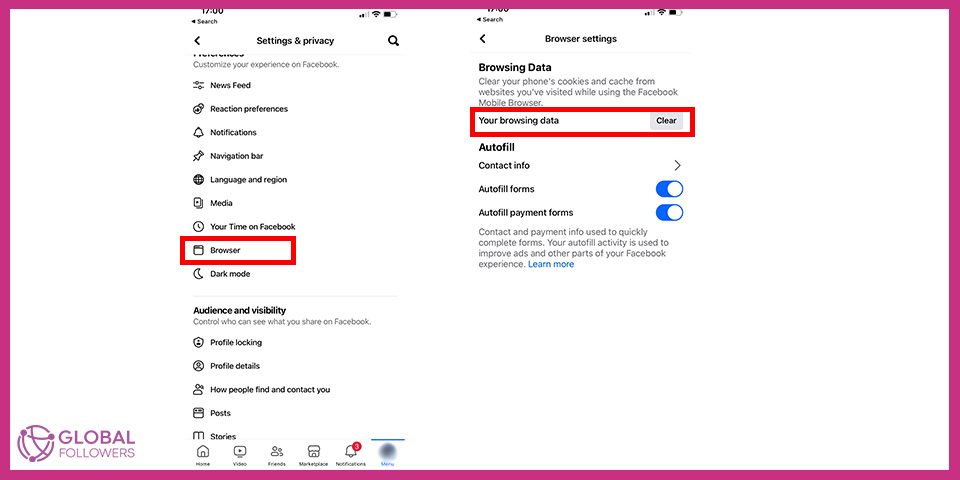
Chrome: Menu (three dots) > Settings > Privacy and security > Clear browsing data. Select Cookies and other site data and Cached images and files. Click Clear data.
Safari: Safari menu > Settings > Privacy > Manage Website Data > Remove All.
Firefox: Menu > Settings > Privacy & Security > Cookies and Site Data > Clear Data.
After clearing, open a new browser window and try logging into Facebook again.
Step 4: Complete Facebook’s Security Verification
If Facebook shows a security verification screen when you try to log in (such as identifying friends in photos, entering a code sent to your email or phone, or confirming your identity), complete it. This is usually the reason for the temporary block, and finishing the verification will lift it immediately.
Step 5: Use Facebook’s Account Recovery Flow
If the verification step doesn’t appear or doesn’t resolve the issue, use Facebook’s dedicated recovery path:
- Go to facebook.com/login/identify.
- Enter the email or phone number linked to your account.
- Follow the prompts to verify your identity and regain access.
“Temporarily Unavailable” vs. Other Facebook Account States
Not all Facebook account errors are the same. Understanding the difference helps you take the right action:
| Status | What It Means | How to Fix |
|---|---|---|
| Temporarily Unavailable | Short-term access block; security or tech issue | Clear cache, complete verification, or wait |
| Locked | Security confirmation required to proceed | Complete the specific verification Facebook requests |
| Disabled | Facebook has taken action for policy violations | Submit a formal appeal through Help Center |
| Suspended | Temporary feature restrictions (not full lockout) | Wait out the suspension period or appeal |
How to Submit an Appeal for a Disabled Account
If Facebook disabled your account and the standard troubleshooting didn’t work, you need to go through the formal appeal process:
- Visit facebook.com/help/contact/260749603972907 this is Facebook’s appeal form for disabled accounts.
- Submit your name, email address, and a photo of a government-issued ID.
- Add a brief explanation of your situation.
- Wait for Facebook’s review team to respond. This typically takes a few days to a week.
There is no phone support for Facebook account appeals. The Help Center form is the only official channel.
How to Prevent This Issue in the Future
- Keep your contact information (email and phone number) up to date in Facebook’s settings
- Set up Two-Factor Authentication to verify logins without triggering lockouts
- Log out of shared or public devices after each session
- Avoid logging in from many different devices or locations in a short period
- Don’t use automation tools or third-party apps that access Facebook in ways that mimic bot behavior
Frequently Asked Questions
How long does a temporarily unavailable Facebook account last?
For security-triggered locks, clearing your cache and completing verification usually resolves it in minutes. If Facebook is reviewing your account for policy reasons, it can take 24 to 72 hours. Server-side outages typically clear within a few hours.
Can I still use Facebook Messenger if my account is temporarily unavailable?
Usually not. Since Messenger is connected to your Facebook account, a login block on the main account typically affects Messenger as well. Some users have reported limited Messenger access during certain types of restrictions, but it’s not reliable.
Is “temporarily unavailable” the same as being banned?
No. A ban or disabled account is a deliberate action by Facebook related to policy violations, and it comes with a specific message about the reason. “Temporarily unavailable” is usually a technical or security-triggered hold that resolves on its own or after completing verification steps.
What if nothing works and I still can’t access my account?
If you’ve tried all the troubleshooting steps and still can’t log in, go to the Facebook Help Center at facebook.com/help and look for the account recovery options. Submit a report through the “I can’t access this” flow, provide as much identifying information as possible, and follow the instructions Facebook provides.

Facebook continues to dominate the global digital ecosystem in 2025, with over 3 billion monthly active users, making it the most widely used social p...

Whether you want a break from Facebook or you're ready to leave permanently, Facebook gives you two options: temporary deactivation and permanent dele...

No comments to show.